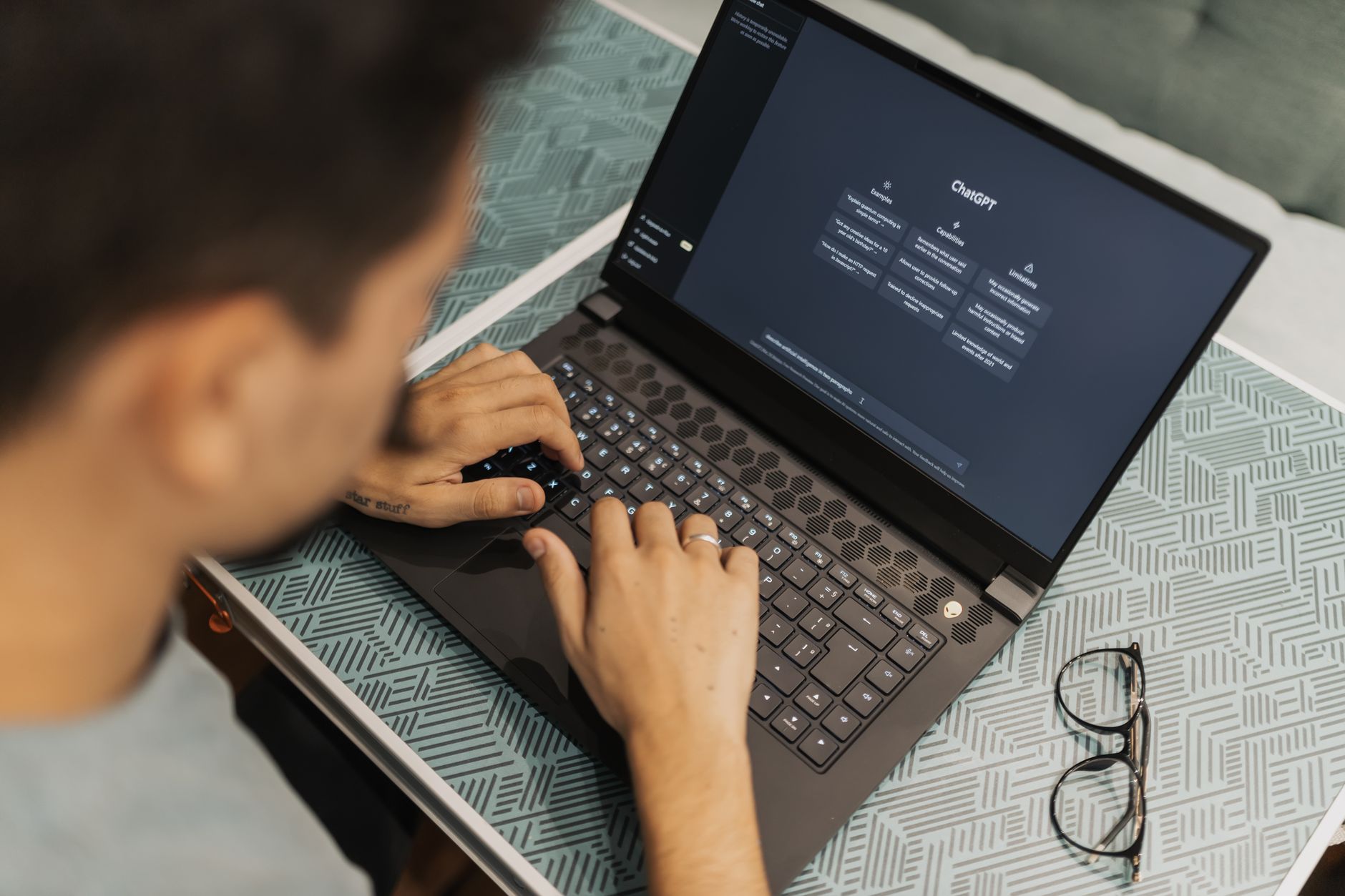
You have a writing voice. It is the rhythm of your sentences, the words you reach for, and the way you organize an idea. AI can flatten that voice into something smooth and forgettable. It can also turn up the volume on what makes your writing sound like you. The difference is not the tool. It is how you prompt it. This guide shows you exactly how to use AI as a writing partner, not a replacement. If you are new to AI, start with this broader guide on how to use AI in daily life.
Many people try AI writing assistants and feel disappointed. The output sounds correct but empty. That happens because the AI has no memory of your voice. It only knows the average of millions of web pages. To fix that, you must feed it samples of your own writing. You must tell the AI what to avoid. You must stay in charge of every draft. This is not hard. It just takes a little setup. Once you build a repeatable workflow, you save hours each week.
This article walks through seven concrete steps. You will learn how to create a voice profile, set custom instructions, brainstorm without losing your perspective, draft without handing over control, edit as a careful reader, test your voice, and build a personal writing system. Each step includes copy-paste prompts. You can start immediately. No technical background is needed. All you need is a free or paid AI account and a few minutes of setup.
Before we begin, a short note on tools. ChatGPT, Claude, and Gemini all work for this workflow. The prompts are written to be tool-agnostic. Some features, like custom instructions, have different names. But the idea is the same. You are teaching the AI to recognize your voice. This guide leans on OpenAI and Anthropic documentation for setup details. Use the links as needed.
What You’ll Need
- A free or paid AI chat tool (ChatGPT, Claude, or Gemini)
- Three short samples of your own writing
- A notes app or document for saving prompts
How Do You Use AI to Amplify Your Writing Voice, Not Replace It?
- Collect a small sample of your own writing.
Start by gathering three pieces of your writing. They can be emails, journal entries, blog posts, or work memos. Pick pieces that feel most like you. Avoid samples you wrote when you were trying to impress someone. Your natural voice is the target. If you do not have samples, write three short paragraphs now. Write about a topic you care about. Let your personality show.
Why this matters: AI models learn from patterns. When you paste your own samples, the model can mimic your sentence length, word choices, and rhythm. Without samples, it guesses from generic training data. That is why AI output often sounds bland. A model that has seen your writing will produce results that feel more like you. This is the foundation of amplifying your voice.
Use this simple prompt to create a voice profile. Copy it and fill in your samples. The prompt asks the AI to summarize your patterns. You will reuse this summary later.
I'm going to paste three samples of my writing. After you read them, write a short voice profile that describes:
- My typical sentence length
- Words or phrases I use often
- My tone and attitude
- How I organize ideas
- What makes my writing feel human
Do not write in bullet points only. Write the profile as a short paragraph.
Here are my samples:
[PASTE SAMPLE 1]
[PASTE SAMPLE 2]
[PASTE SAMPLE 3]
Save that voice profile in a note. You will need it for every other step. Do not skip this step. It is the difference between AI that sounds like you and AI that sounds like everyone else. If your samples are long, choose 300 to 500 words total. You can add more later. The goal is a snapshot, not a novel. A focused sample works better than a huge text dump.

- Set up custom instructions or a system prompt that describes your voice.
Most AI chat tools let you set preferences that apply to every new chat. ChatGPT calls these custom instructions. Claude has system prompts. Gemini has saved info. Use these settings to tell the AI how you write. This saves you from repeating yourself. You can paste the voice profile from step one directly into the settings. OpenAI’s documentation on custom instructions shows where to find them in your account. Claude users can read Anthropic’s guidance on system prompts. The exact menu depends on your tool, but the idea is the same.
Here is a copy-paste block for your custom instructions. Fill in the brackets. The more specific you are, the better.
When you help me write, follow these rules:
- Match my voice profile: [PASTE VOICE PROFILE]
- Keep sentences short unless I ask for longer.
- Avoid generic transitions and clichés.
- Do not use em dashes. Break long sentences into two.
- If you are unsure about my tone, ask before guessing.
- When you edit my text, show me what you changed and why.
Why this step matters: a saved voice profile reduces repetitive feedback. Instead of typing ‘make it sound like me’ every time, the AI already knows. That means you spend more time on ideas and less on corrections. It also keeps your voice stable across different projects. A consistent tone helps readers recognize you. That is a real advantage for newsletters, blogs, or personal essays.
A note on context windows. Claude can read up to 200,000 tokens. That is about 150,000 words. GPT-4o can handle 128,000 tokens, or about 100,000 words. That means you can paste your voice profile and a large sample together. The AI will hold both in memory for the chat. This is a concrete data point that matters for long writing projects. You do not need to shorten your samples as much as you might think.
- Use AI to brainstorm without losing your perspective.
Brainstorming with AI works best when you ask for options, not answers. Do not start with ‘write a blog post about X.’ Start with a question that invites multiple angles. The goal is to generate raw material. You still choose the angle that sounds like you. This keeps your voice in the driver’s seat. AI becomes a research assistant. It does not decide what you think.
Try this prompt when you need ideas:
I want to write about [TOPIC]. My audience is [AUDIENCE]. Give me 12 possible angles for this piece. For each angle, write one sentence that states the main idea. Then write one sentence about why my audience might care. Do not write full drafts. I will choose the angle that fits my voice.
The output will often include a few angles you never considered. That is the value. But not every angle will feel right. Read the list slowly. Circle the ones that make you nod. Cross out the ones that sound like a robot wrote them. Your job is to filter. If you want more ideas, ask the AI to combine two angles. Or ask it to push one angle further. Use follow-up prompts like ‘What is a less obvious take on angle number 4?’ This turns AI into a thinking partner. You can also explore ChatGPT personal use ideas for more examples of how to prompt a general assistant.
Common mistake: letting AI pick the topic for you. That can lead to a post that sounds like everyone else’s. Instead, use AI to expand your options. You keep the final say. The voice is in the selection, not just the words. This step connects to the next one. Once you choose an angle, you draft from your own outline. That outline keeps your logic and your rhythm intact.
- Draft with AI but keep your hand on the wheel.
AI can draft quickly, but it cannot feel what you feel. The best approach is a hybrid draft. You write the first half of a paragraph. Then ask AI to finish it. Or you write a rough outline. Then ask AI to expand one section at a time. This keeps your language in the mix. It also prevents the AI from taking over completely. Remember that a first draft is supposed to be messy. AI can help you get past the blank page.
Here is a prompt for drafting one section:
Here is my outline for a [TYPE OF WRITING]:
[PASTE OUTLINE]
I have already written this part:
[PASTE YOUR PARTIAL DRAFT]
Continue from where I stopped. Match my voice profile and the tone of the partial draft. Do not add new ideas. Just expand what is already there. Keep sentences short. Show me the full section with the new text in square brackets.
Another useful tactic is to write a zero draft by hand. A zero draft is a fast, no-pressure version of your ideas. Then paste it into AI. Ask the AI to organize it, not rewrite it. This preserves your original phrasing. The AI fixes flow, not voice. For example:
Here is my zero draft. It is messy. Please reorganize it into three clear sections. Keep my sentences and words. Only move things around and add transition words where needed. Do not change the tone. Show me the revised version and list the changes you made.
If you are new to AI-assisted writing, start small. Do not let the AI write a whole article in one click. That is how you end up with generic text. Instead, use AI for a single paragraph. Then read it aloud. Does it sound like you? If not, tweak the prompt or add more voice notes. You can also compare results from different tools. Some people prefer Claude for long-form prose. Others like ChatGPT for quick edits. This guide on free AI tools for 2026 can help you choose a starter tool. The point is to stay in control. The next step will teach you how to edit AI output without losing your voice.

- Edit with AI as a sharp-eyed reader, not a judge.
Editing with AI can be dangerous if you ask it to ‘fix’ everything. The AI may smooth out your quirks. Those quirks are your voice. Instead, ask for specific observations. Tell the AI to act like a careful reader, not a grammar cop. This keeps your style intact. You want feedback on clarity, pacing, and structure. You do not want a full rewrite.
Try this prompt:
Read the following draft. Do not rewrite it. Instead, tell me:
1. Where did you get confused?
2. Which sentences sound awkward?
3. Where does the pace drag?
4. Which phrases sound like me and which sound generic?
5. What did I repeat too often?
For each point, quote the place you mean and give one short suggestion. Keep my voice in mind. Here is my voice profile: [PASTE VOICE PROFILE]
Here is the draft:
[PASTE DRAFT]
Another editing prompt focuses on word choice:
Underline every word or phrase in my draft that sounds like a cliché or filler. Then replace each one with a better option that fits my voice profile. Show me a table with three columns: original, replacement, and reason. Do not change anything else.
This gives you targeted edits. You still decide which replacements to accept. That is the key. AI is not the editor. You are the editor. AI is the assistant who hands you notes.
Over time, you will notice patterns. Maybe the AI always flags your long sentences. Maybe it highlights your favorite words. Pay attention to those notes. They are clues about how readers hear you. The final decision always belongs to you. That is how you amplify your voice, not replace it.
- Test your voice against AI output.
You need a way to check if AI output sounds like you. A simple test works. Take one of your own paragraphs and an AI-generated paragraph on the same topic. Put them side by side. Read both aloud. Which one feels like a conversation with yourself? Which one feels like a brochure? That exercise trains your ear. It is fast and effective.
Here is a prompt to run the test:
Write a paragraph about [TOPIC] in a neutral style. Do not use my voice profile. Just write a plain explanation. Then write a second paragraph using my voice profile: [PASTE VOICE PROFILE]. Label the two paragraphs clearly. Do not explain them. I will compare them myself.
After you run that, you will see the difference. The neutral paragraph may be clean and correct. The voice-matched paragraph should feel warmer. If it does not, your voice profile is too vague. Add more detail about your favorite sentence patterns or your humor.
Another test: use a voice scorecard. Ask the AI to grade three pieces on how well they match your voice. Then compare the scores to your own gut feeling. This is not science. It is a self-check. But it helps you catch drift. The scorecard prompt:
I will paste three short pieces. All three are attempts to write in my voice. For each piece, give a score from 1 to 10 on voice match, clarity, and warmth. Then write one sentence explaining each score. Do not rewrite them. Just score and explain. My voice profile is: [PASTE VOICE PROFILE]
Piece A: [PASTE]
Piece B: [PASTE]
Piece C: [PASTE]
The scores can reveal blind spots. You might think a piece sounds like you, but the AI sees a mismatch. Or the opposite. Keep the scorecard in your writing notes. It will help you calibrate over time. For more on building a personal AI workflow, check AI for productivity.

- Build a repeatable personal writing workflow.
A repeatable workflow turns these steps into a habit. You do not need to follow every step for every email. But you should have a go-to sequence. For example: brainstorm, outline, draft, edit, test. The exact order can change. What matters is consistency. When you repeat the same prompt stack, the AI learns from your patterns. That makes each round faster and more accurate.
Here is a simple daily workflow you can copy:
1. Paste your voice profile into the chat and say: 'Let's write. My voice profile is above. Ask me one question before we start so you understand the goal.'
2. Brainstorm with the 12-angles prompt from step 3.
3. Draft with the partial draft prompt from step 4.
4. Edit with the sharp-eyed reader prompt from step 5.
5. Run the voice test from step 6.
This stack works for blog posts, newsletters, work memos, and personal essays. It saves you time because you do not start from zero. It also keeps your voice front and center. You can adapt it for short tasks by skipping steps 2 and 6.
Save your prompt stack in a notes app. Or use a tool that supports saved prompts. Notion AI and others let you store templates. This is also a good time to think about privacy. If you write personal things, read this AI privacy guide before you paste anything sensitive. The guide explains what to avoid and how to adjust settings. A little caution now prevents problems later.
The final step is to review your work once a month. Compare a recent AI-assisted draft with an old hand-written one. Has your voice changed? Are you still the author? If the answer is yes, the workflow is working. If not, go back to step one and refresh your voice profile. Your voice evolves. Your AI setup should evolve with it. This is not a one-time fix. It is a practice. Used well, AI does not replace your voice. It turns up the volume. If you want more ways to save time with these tools, check use AI to save time.
Red Flags & Warnings
- 🚨 Do not paste private or sensitive text into a public AI tool. Review the privacy settings for your chosen tool first.
- 🚨 Never let AI make the final call on emotional or personal writing. It does not know your lived experience.
- 🚨 Avoid copying AI text word for word. That flattens your voice and can trigger plagiarism flags.
- 🚨 Do not ask AI to ‘improve’ without giving it samples. Vague feedback creates generic output.
- 🚨 Watch for ‘sounds like ChatGPT’ phrasing. If the draft uses empty transitions, cut them.
- 🚨 Do not use AI for high-stakes documents without human review. Medical, legal, and financial writing need expert eyes.
Frequently Asked Questions
Will AI writing make my work sound generic?
Only if you let it. The prompts in this guide teach AI to match your voice profile. Feed it real samples and use targeted editing requests. Generic output usually comes from vague prompts or skipping the voice profile step.
Can I use free AI tools for this workflow?
Yes. ChatGPT, Claude, and Gemini all have free tiers that work for these prompts. Some advanced features, like longer context windows, may require a paid plan. Check the free tools guide linked in this article for current limits.
How much of my writing sample should I share?
Start with 300 to 500 words total across three pieces. That is enough for AI to detect patterns. You can add more later if you want. Keep the sample focused on the tone you want to amplify.
What if the AI still does not sound like me?
Refine your voice profile. Add notes about your humor, favorite sentence openers, or words you avoid. Then run the voice test from step 6. Compare side by side and adjust the profile again. It often takes two or three rounds.
Is it safe to paste my personal writing into AI tools?
It depends on the tool and your settings. Review the privacy guide linked in step 7. For very personal or confidential writing, use a local model or remove identifying details. Never paste medical, legal, or financial documents without checking the service terms.
Do I need to be technical to set up custom instructions?
No. ChatGPT, Claude, and Gemini each have a settings menu where you paste text. The process takes about two minutes. The external links in step 2 point to the official documentation for each tool.
What Should You Remember?
- Feed AI your own writing first. The more it sees your real voice, the better the output.
- Set custom instructions once. Save your tone, audience, and pet peeves to avoid repetitive editing.
- Use AI for structure, not soul. Let it outline and reorganize, but write key lines yourself.
- Request feedback in your voice. Ask what you already do well and what sounds off, not just for corrections.
- Test before you trust. Compare AI drafts to your own voice by reading aloud.
- Build a repeatable workflow. A simple prompt stack beats a blank chat every time.
This article is for general information only. AI tools, pricing tiers, and free limits change frequently, so verify current features and pricing on the vendor’s own site before committing. Some links may be affiliate links that support this site at no cost to you.